Everything the transition needs, in one place
Four modules that hand evidence to each other: assess, gate, transition, then prove it survived early life.
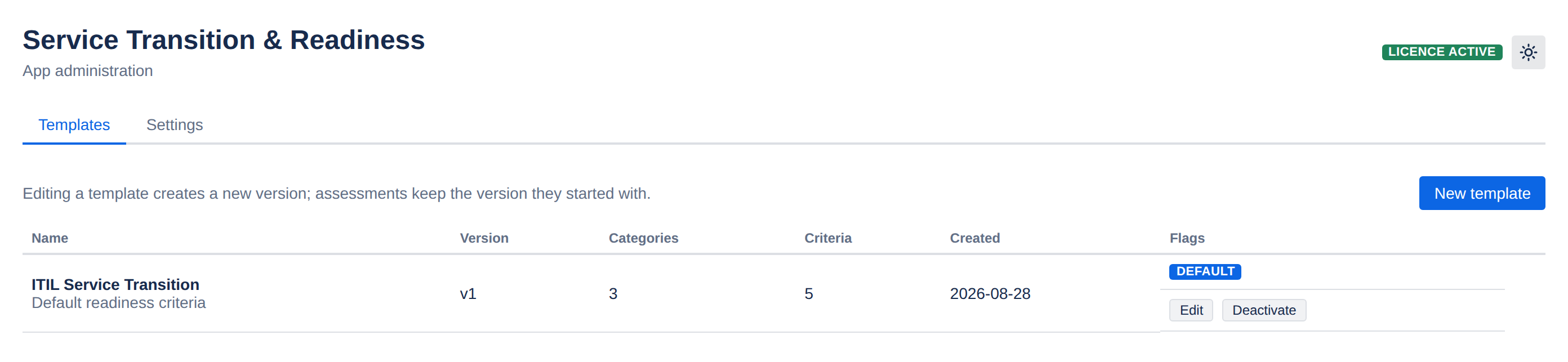
Readiness templates & weighted scoring
Define once, reuse everywhere. Admins build templates of criteria grouped into categories; transition managers score against them.
- Categories and criteria — group by Support Model, Knowledge, Monitoring, Security, Training, or whatever your organisation gates on.
- Weights of 1–10 per criterion, so a runbook can matter more than a nice-to-have.
- A 0/25/50/75/100 "met" scale — partial credit where it is genuinely partial, not a binary tick.
- Evidence links and notes on every line, so the score points at the proof.
- Mandatory flags for criteria that must not be waved through.
- Immutable versioning — editing a template creates a new version, and assessments already in flight keep the version they started with.
- Configurable RAG thresholds, set globally or overridden per project.
Go / No-Go gates with a real audit trail
The decision that matters most is the one most often lost. Gates capture it properly.
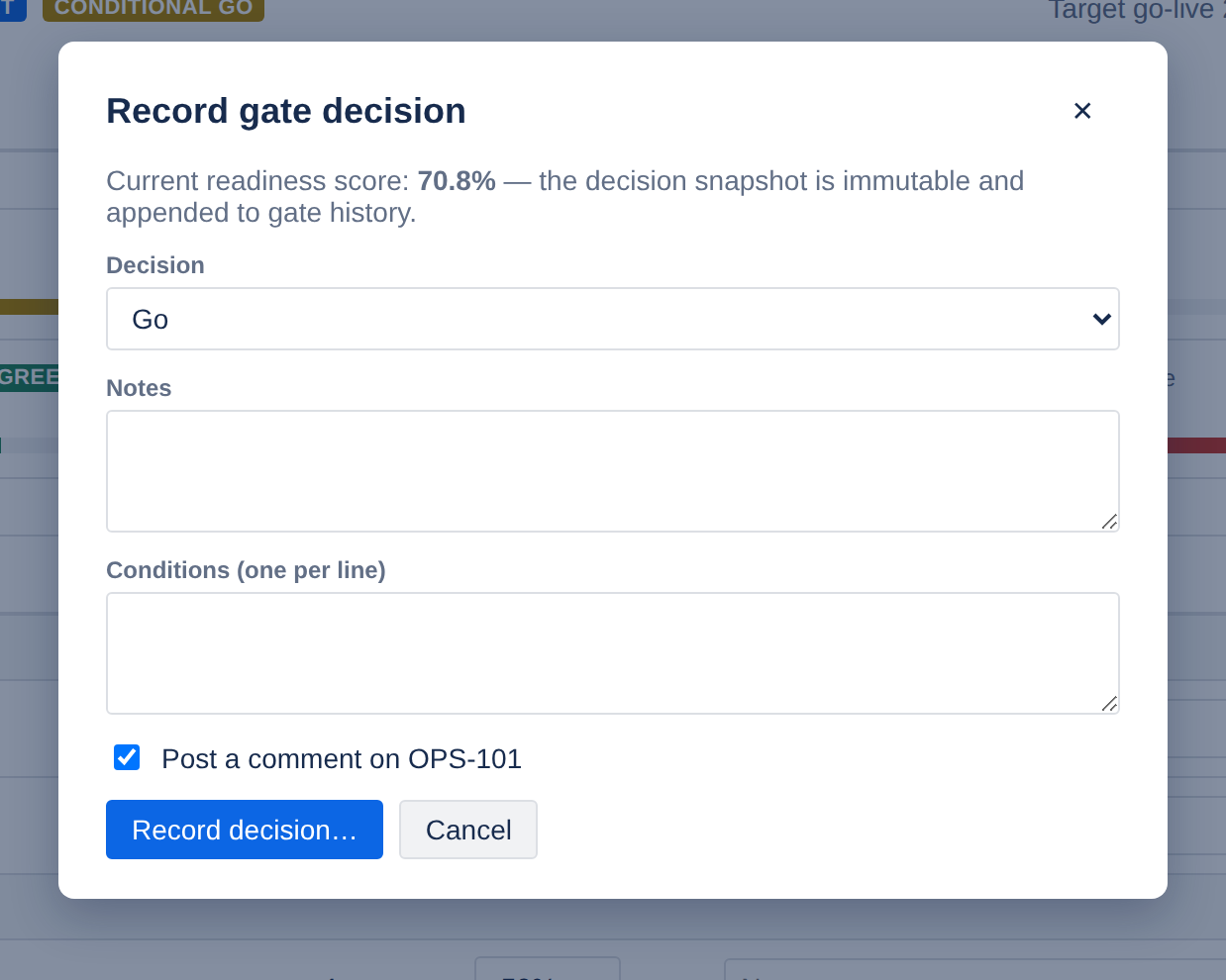
- Three outcomes — Go, Conditional Go, No-Go. Conditional Go carries its conditions as a list.
- Who and when — the decider's Atlassian identity and a timestamp, taken from the session, never from the form.
- The score at the moment of sign-off is snapshotted into the decision, so later re-scoring cannot rewrite history.
- Immutable by design — there is no update or delete path for a gate decision anywhere in the app.
- Optional traceability comment posted to the linked JSM request, so the decision is visible from the ticket.
- Full gate history per service, newest first.
Transition plans that stay honest
Phases, tasks, owners, dates — and rollups the app recomputes itself, so the status on the portfolio is never a stale manual entry.
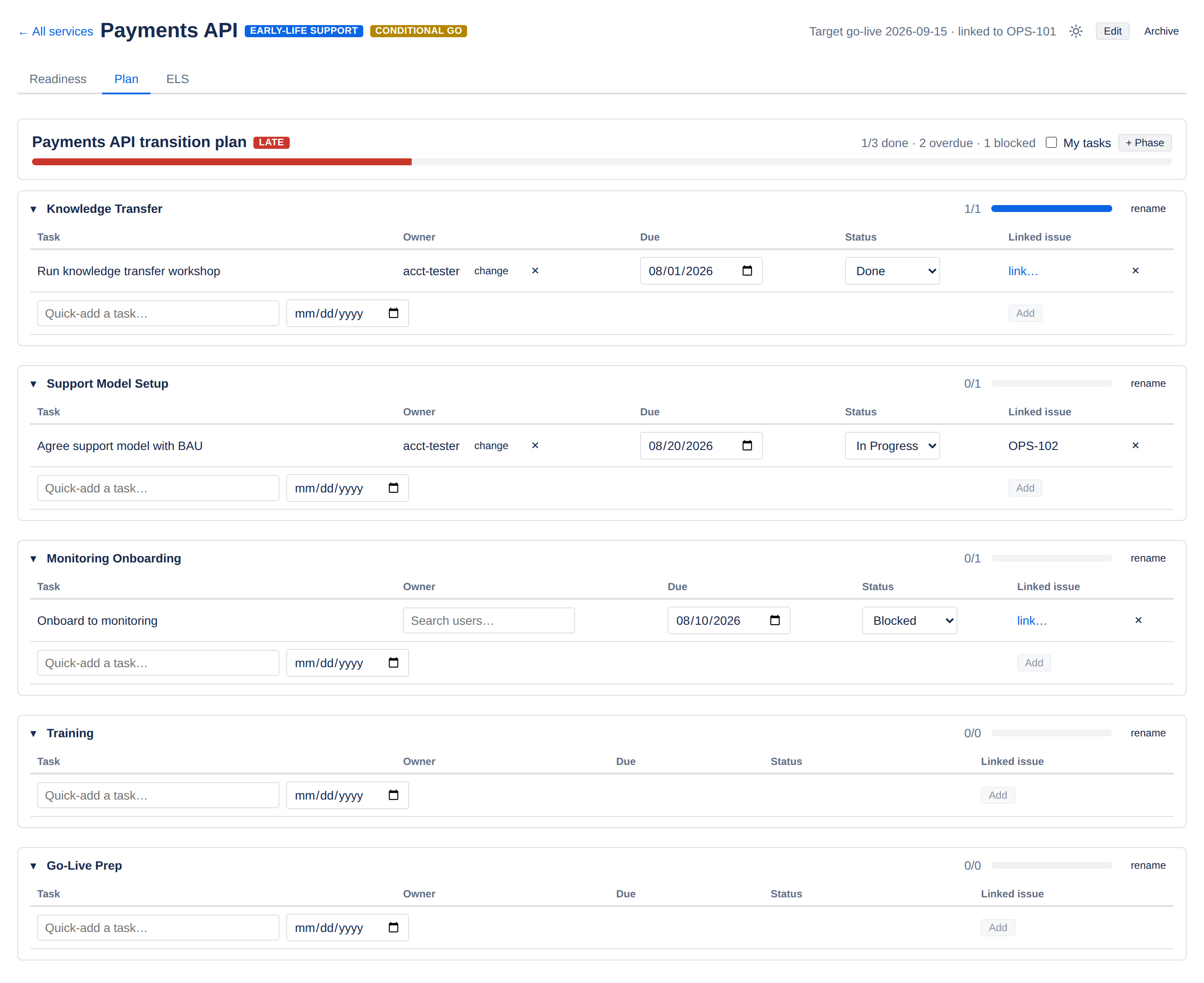
Owners and dates
Assign any Jira user through a picker that returns account ID and display name only. Due dates drive the overdue count.
Linked Jira issues
Attach an existing issue to a task and see its live status badge, read with your own permissions.
Server-side rollups
Percent complete, overdue and blocked counts, and a plan health of On Track / At Risk / Late derived against the target go-live date.
My tasks
One toggle lists everything assigned to you across every service in the project, due-date sorted with overdue highlighted.
Safe concurrent editing
Task edits use compare-and-set. If someone else saved first you are told to refresh, rather than silently overwriting them.
Quick add
A one-line add row on every phase, so building out a plan does not mean a modal per task.
Early-life support, with evidence
The warranty period is where transitions actually succeed or fail. STR makes it a tracked process with data behind the exit decision.
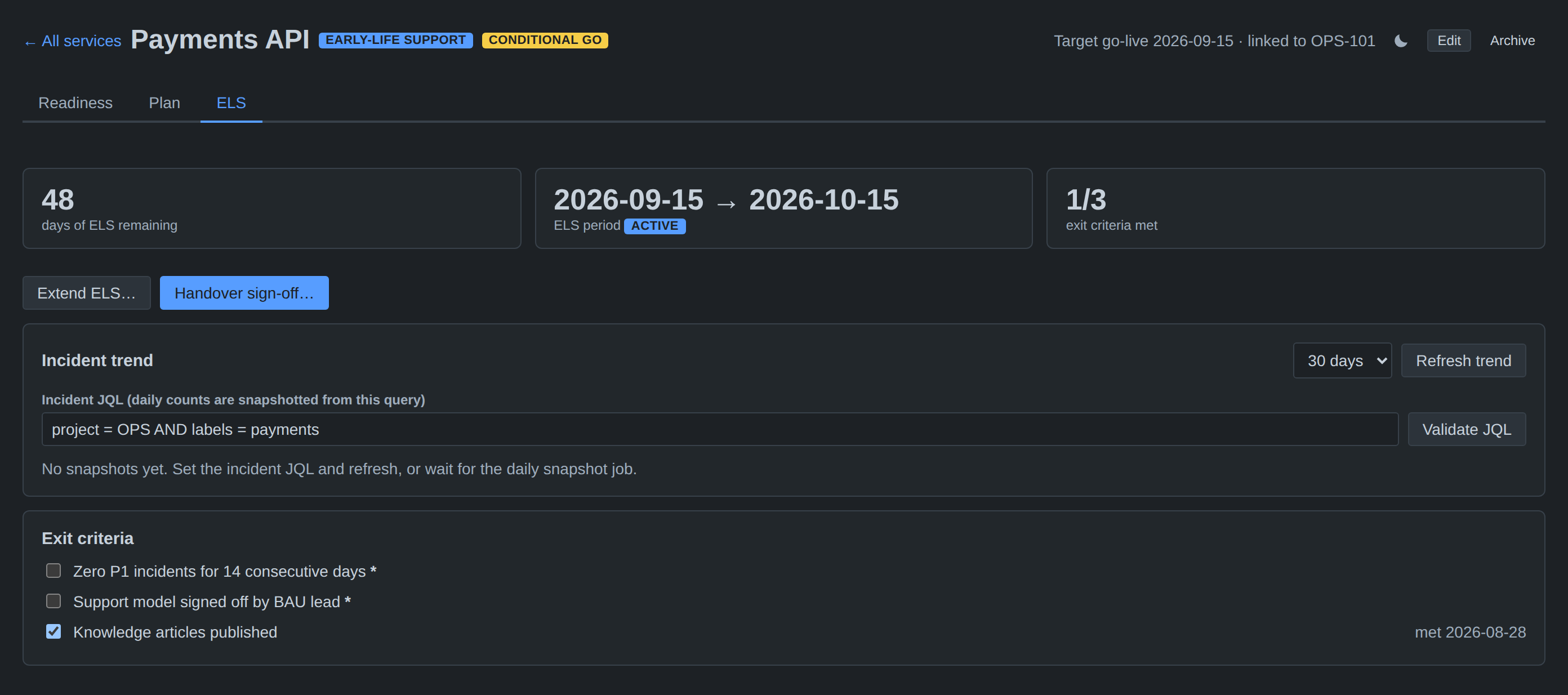
- A defined period with a live countdown, opened after the gate decision.
- Exit criteria with met-by and met-at captured server-side — the client cannot assert who ticked what.
- Your own incident JQL per service, validated live against Jira before you save it.
- Daily trend snapshots of created, resolved, open and P1 counts, kept by a scheduled job and backfillable on demand.
- Audited extensions — moving the end date requires a reason and appends to an extension log.
- Blocked sign-off until mandatory criteria are met; an override is allowed but records the reason and exactly which criteria were bypassed.
- Handover to BAU stamps the signer, the timestamp and the go-live date, and moves the service to Live.
Portfolio & export
A site-wide view for the people who chair the review, and a CSV for the pack that goes with it.
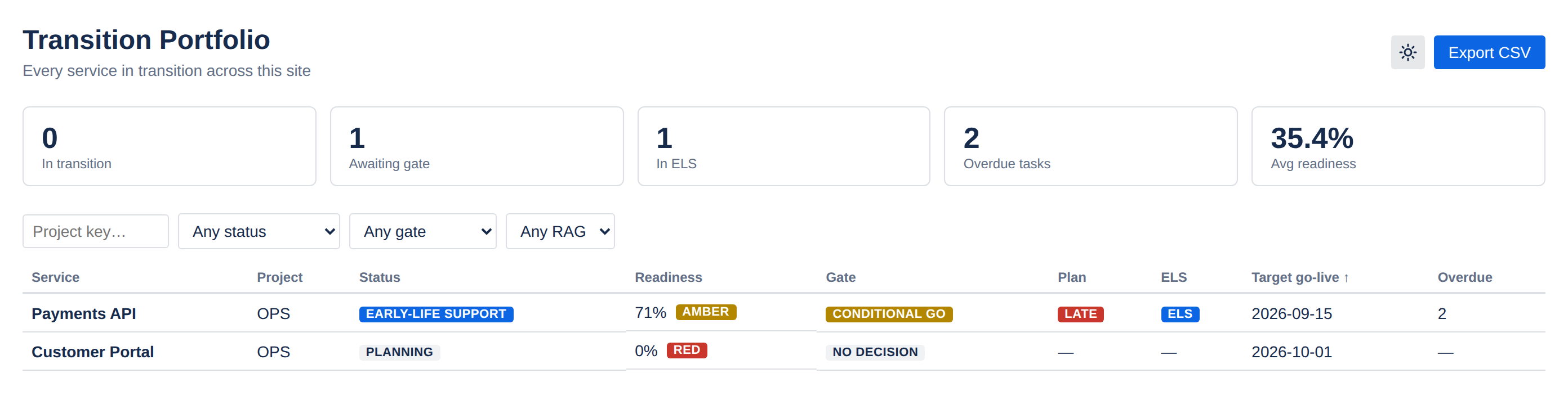
Summary tiles
In transition, awaiting gate, in ELS, overdue tasks, average readiness.
Filter & sort
By project, status, gate decision and RAG band; sort by score or go-live date.
CSV export
Generated server-side from the filtered view, escaped against spreadsheet formula injection.
Project mini-portfolio
The project page lands on the same view, scoped to that project's services.
Four places it shows up in Jira
No separate tool, no separate login, no separate permissions model.
| Surface | Who uses it | What it shows |
|---|---|---|
| Issue panel On the linked JSM request | Anyone on the request | Readiness score, category RAG chips, the latest gate decision, and a link through to the Transition Hub. |
| Project page "Transition Hub" | Transition & delivery managers | The project's services, then per-service Readiness, Plan and ELS tabs. |
| Global page "Transition Portfolio" | Service delivery managers, CAB | Every service in transition across the site, filterable and exportable. |
| Admin page | Jira administrators | Readiness templates, RAG thresholds, default ELS length and default plan phases. |
The issue panel is a native Jira UI Kit surface, so it renders in Jira's own components and adopts your site's theme automatically.
Stop guessing whether a service is ready
Bring readiness scoring, gate sign-off and early-life support into the tool your teams already run transitions in.
Free for small teams · 30-day evaluation on every paid tier